
What is Loop Engineering? A practical example with Codex

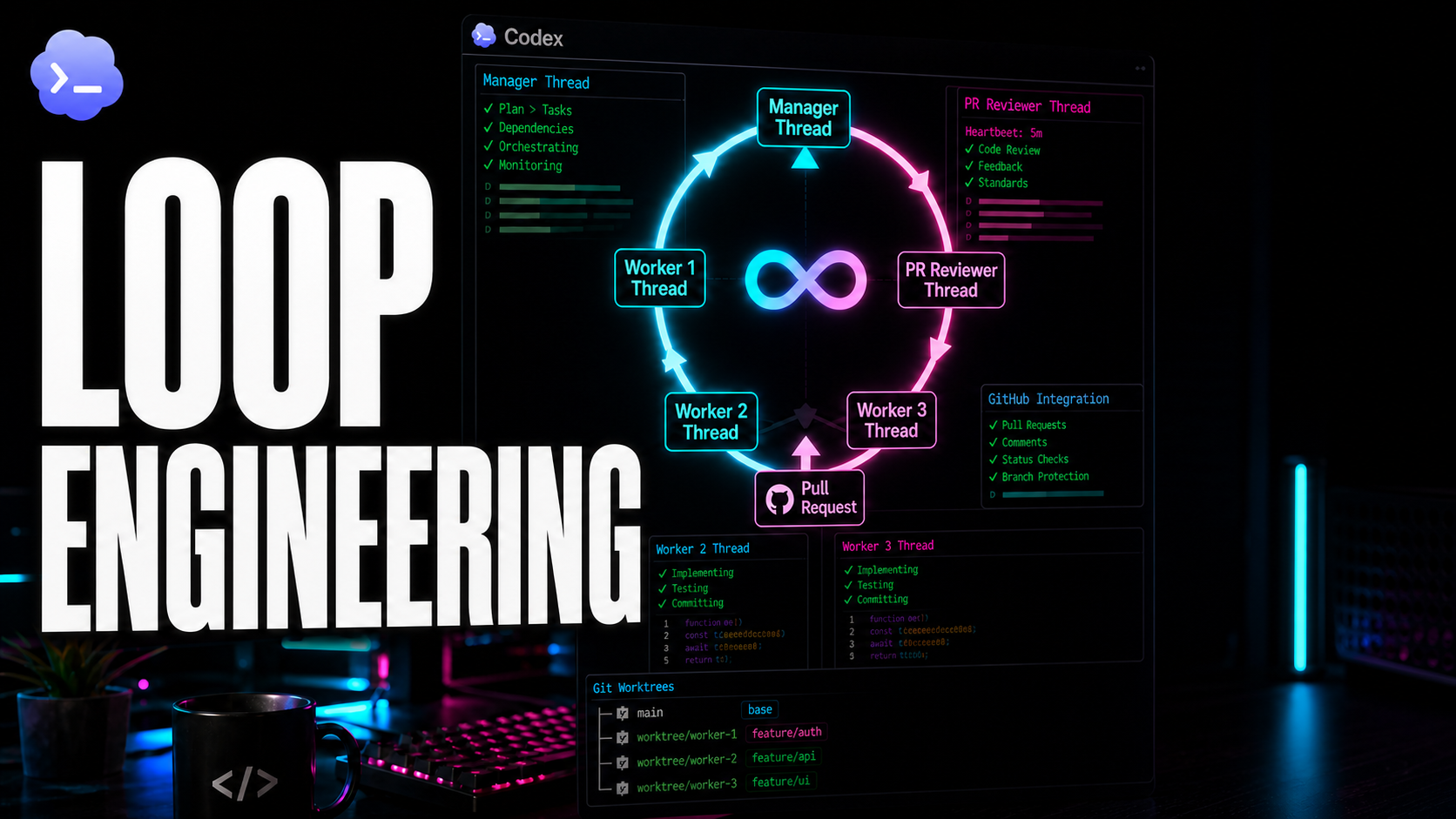
People are starting to talk quite a lot about Loop Engineering. As always happens when a new label appears, part of it is hype, but another part is genuinely useful: once something has a name, we can discuss it more clearly.
To me, Loop Engineering is not about leaving AI to code on its own and seeing what happens. That does not work for long and usually wastes your time. The useful part is designing the complete workflow: how you give the agent information, where it changes code, how it verifies that nothing broke and, above all, when it asks for help and when you need to intervene.
In this article, we will build that idea with Codex, specialized threads, Git worktrees, pull requests and automated reviewers. Not as a “look how clever the model is” demo, but as a minimal architecture you can reproduce in a real repository.
What a loop really is
When we start programming with AI, we usually work very directly: open the chat, ask for a function, copy, paste, test and correct it if it fails. That is already a loop, but a manual one. It depends entirely on you supervising the chat and guiding the model at every step.
To create a truly automated cycle, you need a little structure:
- A source of state: a backlog, issue, Markdown specification or anything else the agent can read to understand what it must do.
- An isolated environment: somewhere it can test and change code without overwriting another agent’s work—or yours.
- A verification phase: tests, linting, compilation and type checking provide automatic, objective signals that the code works.
- A feedback mechanism: a way to tell the agent what failed so it can attempt a correction itself.
- Human control points: clear decisions about when a change reaches production and when the agent must stop and ask for help.
The key is not that the LLM suddenly becomes magically smarter. The important change is that you stop focusing so much on the perfect prompt and start designing the complete work cycle.
The minimal architecture
Before launching agents in parallel, you need to define the pieces and their responsibilities. Otherwise, you will end up with several chats changing the same repository, overwriting one another, duplicating tasks and losing control of project state.
A minimal, functional architecture has four parts:
- A state file: for example,
features.mdorfeature_list.json, acting as the single source of truth for tasks, status and dependencies. - A Manager thread: the brain that reads the file and decides which tasks can begin.
- Worker threads: the agents that implement each specific task.
- A PR Reviewer thread: a specialist that reviews pull requests and provides feedback.
The state file does not have to be sophisticated. The Manager only needs to know what is pending, what is blocked by dependencies and what has finished successfully. A small JSON file in the repository is enough:
[
  {
    "id": "feature-auth",
    "title": "Add email login",
    "status": "pending",
    "depends_on": [],
    "evidence": []
  }
]
You do not need a database, task queues or unusual tooling to begin. A versioned file in the repository is more than enough to prove the workflow.
The idea: one manager and several workers
In Codex, we can create independent threads with their own context. That gives us a useful property: work can be separated by role.
The main thread acts as the Manager. Its role is not to write code, but to inspect pending tasks, choose the order, manage dependencies and coordinate other threads.
The workers do the implementation. Each receives a tightly scoped task, works in its own environment, verifies that everything compiles and opens a pull request when finished.
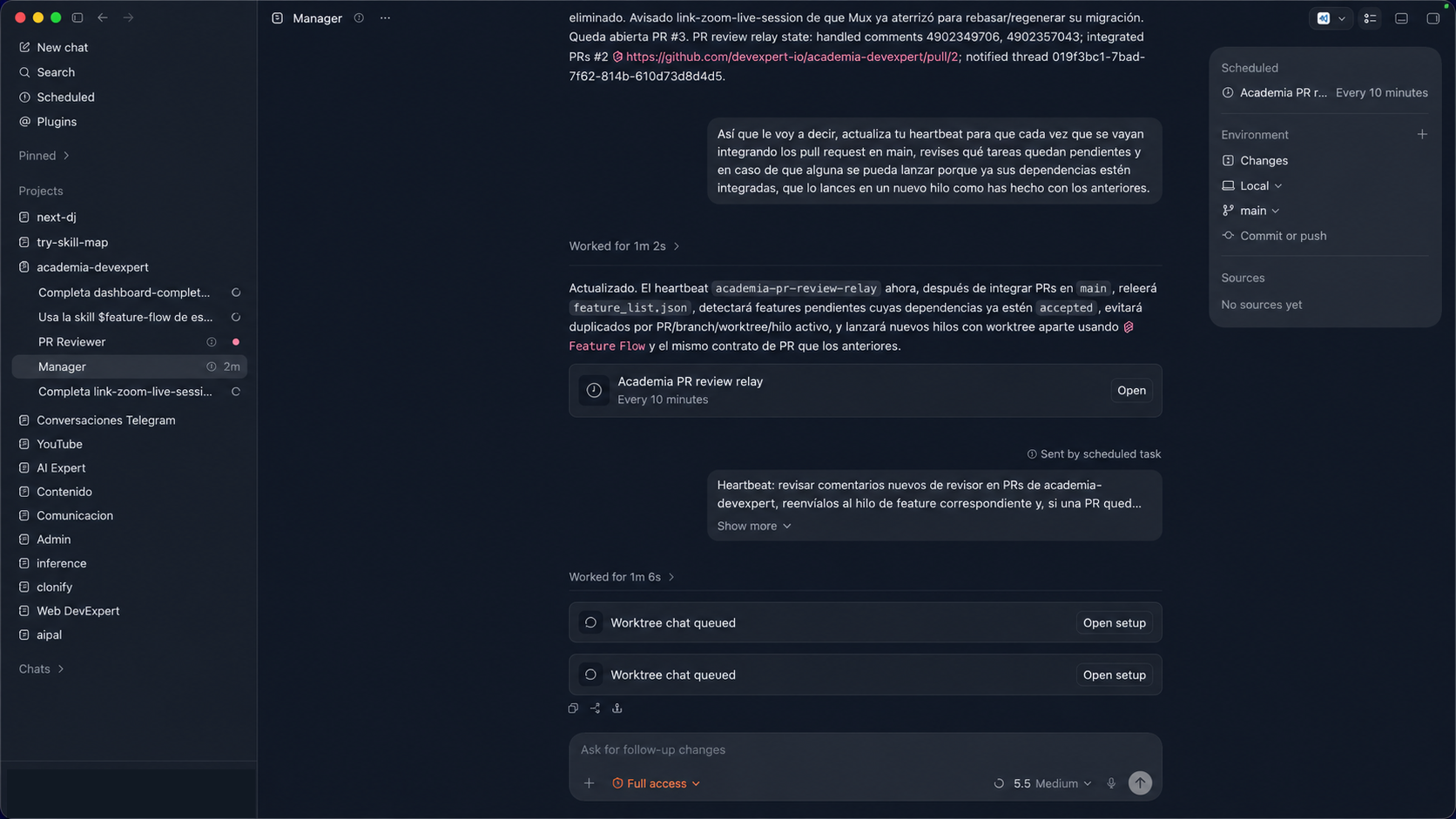
This changes the system completely. If one thread must understand the whole project, write the code, test it, review it and handle failures, its context window turns into soup. Separating roles lets each thread focus on one responsibility.
The Manager retains the overall picture, workers execute assigned tasks, and a third thread can focus only on reviewing the resulting code.
Instead of asking the Manager to “implement the entire app,” give it coordination-focused instructions:
You are the Manager of this repository. Read feature_list.json, identify tasks
that are pending and have no blocking dependencies, and launch one worker
thread for every executable task.

Each worker must use the feature-flow skill, work in a separate Git worktree
and create a pull request when finished.

Do not implement features directly. Maintain project state, coordinate workers,
review dependencies and request human intervention when a conflict cannot be
resolved safely.
This boundary is essential. When the Manager starts implementing code, it loses the clean context and perspective required to manage the system.
Why Git worktrees are the key piece
The first problem with parallel tasks is the workspace. Put three agents in the same local folder and they will overwrite one another. One changes a component, another edits the same file, dependencies break and the result becomes difficult to recover.
This is where Git worktrees are invaluable.
A worktree lets you open several branches of the same repository in separate physical folders. They share Git history, but each workspace operates independently. For agents, that isolation is extremely useful.
Each worker receives its own directory:
- Worker A changes its branch without disturbing anyone else.
- Worker B works in another parallel directory.
- Both can install dependencies, compile and run tests independently.
- Each opens its own pull request when finished.
Worktrees do not eliminate merge conflicts when two workers change the same line. They move the problem from uncontrolled local interference into a familiar development workflow: branches, pull requests and merges.
With Codex, you do not need to create worktrees manually. Ask the Manager to associate each worker thread with its own worktree, then give the worker clear instructions:
Launch a new thread in a Git worktree for the feature-auth task.
That thread must implement only this task and work in isolation.
Run tests, lint and build before finishing.
When validated, create a pull request and store its link in feature_list.json.
This removes the burden of managing local branches and directories yourself and prevents two agents from overwriting each other’s local work. Any remaining conflict is handled where it belongs: in GitHub or while integrating with main.
The automated reviewer as a loop inside the loop
The next component is the PR Reviewer, a thread dedicated exclusively to reviewing open pull requests.
It runs in the background: every few minutes it checks for new pull requests, downloads the diff, analyzes the code and leaves comments. If it finds problems, it reports them on the pull request. If everything looks correct, it gives the Manager a clear approval signal.
The review becomes a closed loop:
- The worker completes the task.
- It opens a pull request.
- The reviewer analyzes the changes.
- If there is feedback, the Manager sends the task back to the same worker.
- The worker corrects the code and updates the pull request.
- The reviewer checks it again.
There is no unusual magic here—only explicit state, clear signals and separated responsibilities. That is the real difference between releasing an agent to do things and building a reliable system you can trust.
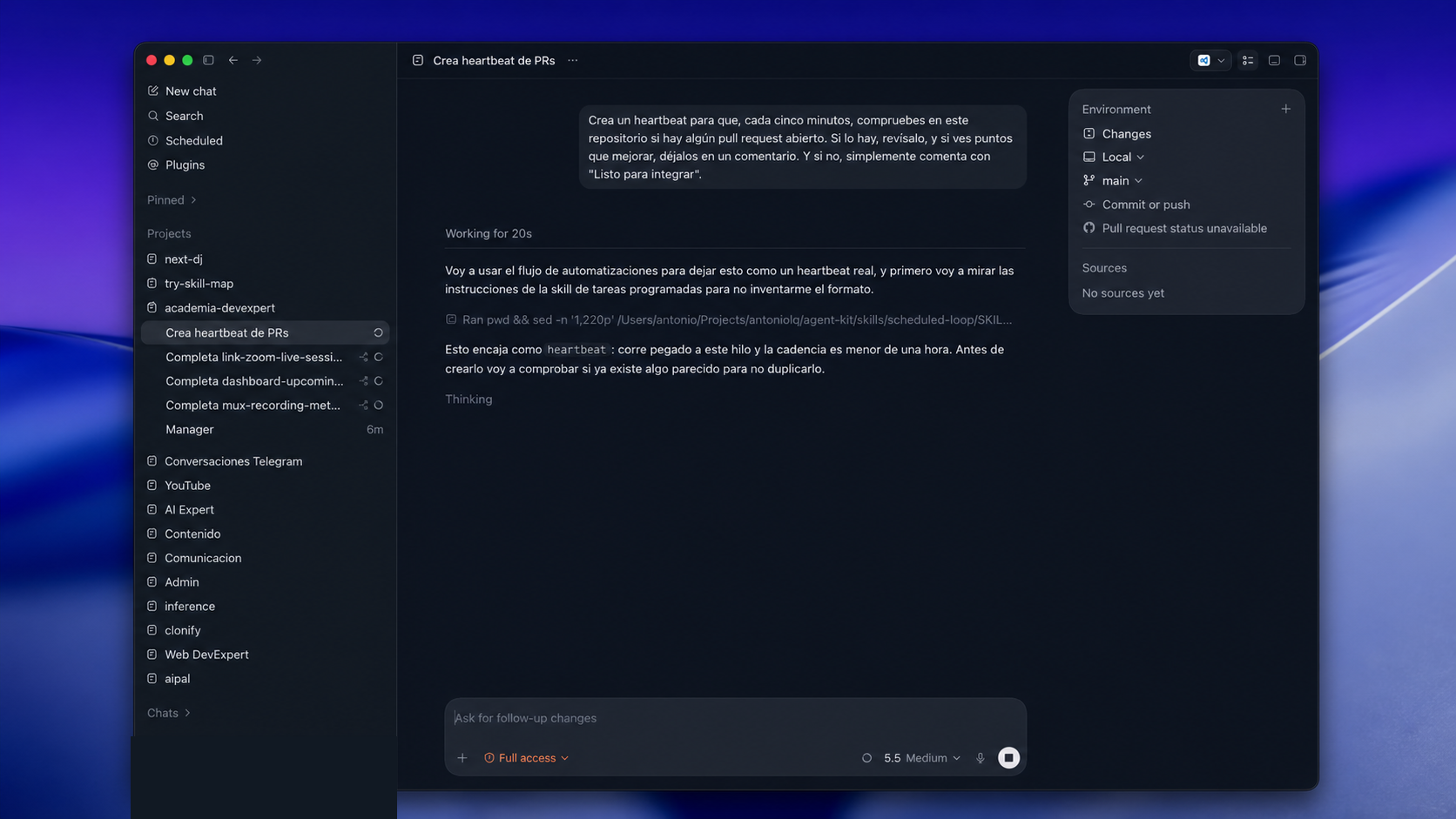
In Codex, the simplest implementation is a separate persistent thread with a heartbeat. You do not need a new chat for each pull request. Because the heartbeat runs in the same thread, the reviewer remembers what it already reviewed and avoids repeating work.
A direct starting prompt could be:
Create a heartbeat that checks every five minutes for open pull requests in
this repository.

If one exists, review it. If you find issues, leave them as comments on the
pull request. If there is nothing relevant, comment exactly: "ready to merge".
You can extend this later: check out the branch in another worktree, compile it, run the test suite or inspect particular architectural patterns. The foundation remains the same: a persistent thread checking code in the background.
Its comments need clear labels, such as:
changes requested: return the task to the worker.blocked: information or human input is required.ready to merge: the change is ready for integration.
The reviewer should neither merge nor make business decisions. Its only job is to produce objective, structured feedback the Manager can interpret.
The difficult case: conflicts and dependencies
Things become interesting when real-world dependencies appear.
Imagine the Manager launches three worker threads at once:
- Worker 1 finishes, opens a pull request and receives
ready to mergefrom the reviewer. - Worker 2 also opens a pull request, but it was based on an older state of
main. - Task 3 depends on task 2 being integrated, so it should not start yet.
This is where toy automation systems fail. Writing code in ideal conditions is easy; reacting when repository state changes halfway through is the difficult part.
That exact situation appears in the recorded demo. Several pull requests start in parallel, the reviewer leaves notes, workers correct them and, once the first pull request is merged into main, the others become outdated and conflict. The Manager must react.
A well-designed Manager must:
- detect an approved pull request and merge it, if merging is automated;
- identify pull requests broken by the preceding merge;
- send feedback to the corresponding worker thread—not a new chat, but the thread that already knows the task;
- wait for the worker to update its branch from
mainand resolve the conflict; - launch task 3 as soon as its dependency has been integrated.
Like the reviewer, the Manager needs its own background heartbeat. In the video, I organize it into two phases.
The first connects reviewer feedback to workers:
Every 10 minutes, check for new PR Reviewer comments on open pull requests.

When comments request changes, send that information to the corresponding
worker thread so it can update its worktree and push the pull request again.
The second phase—optional if you want a fully automated flow—handles merges:
If a pull request is marked "ready to merge", integrate the change into main,
close the corresponding thread, remove the worktree and record what you did.
In production, I would not automate a direct merge into main without human review. For experiments, however, watching the system manage itself is fascinating.
The Manager can then update feature_list.json:
- A pull request marked
ready to mergebecomesready. - A
changes requestedresult sends feedback to the worker that created the pull request. - A conflict after integration sends the same worker back to update its worktree from
main. - A task whose dependency has been integrated can start in a new worktree.
The complete flow is:
- The Manager checks the task file.
- It starts workers only for tasks with no unresolved dependencies.
- Each worker opens a pull request from its isolated folder.
- The reviewer checks the pull request and records its verdict.
- The Manager reacts to the comment label.
- The worker fixes failures; an approved change is merged.
- Integration unblocks dependent tasks, and the loop begins again.
Where people enter the loop
The temptation is to automate everything: let the agent write, review, merge and deploy to production without supervision. Although technically possible, it is usually a poor practical choice.
People still matter in decisions such as:
- choosing the solution or architectural approach;
- giving final approval before a pull request enters the main branch;
- deciding whether an error is critical or whether work can continue;
- confirming that feature behavior makes sense for the user, beyond passing tests.
The goal is not to remove the developer. It is to remove repetitive work—formatting, manually running tests, handling simple conflicts or updating branches—so the developer can focus on design and judgment.
The limits remain
This architecture does not perform miracles. Agents retain their usual limits; they simply work in a more orderly environment.
The obvious problems still apply:
- Define the wrong task and the agent may implement something useless perfectly.
- Weak tests may approve a flawed solution.
- A poorly organized backlog may cause the Manager to parallelize tasks that actually depend on one another.
- Without observability, agents can loop and consume tokens without making progress.
- Poor context separation fills every thread with noise.
That is why I prefer discussing workflows rather than “agent autonomy.” Total autonomy sounds impressive in a demo, but is often fragile in daily work.
A minimal checklist for your own loop
If you want to try this yourself, start small:
- Define a simple file or issue tracker as the task source.
- Split roles across Codex threads: one Manager and as many workers as needed.
- Ask Codex to create a Git worktree for every independent worker.
- Require every delivery to go through a pull request—no direct commits to
main. - Run a PR Reviewer thread in a heartbeat loop, commenting on open pull requests with standard labels.
- Add a Manager heartbeat that connects reviewer feedback to the correct worker.
- Use logical states in JSON or Markdown:
pending,in_progress,review,blocked,done. - Use local automation—tests, linting and compilation—to validate tasks before accepting them.
- Decide which critical actions always require you to remain in the loop.
With this minimal structure, you move from an AI chat to a real workflow: a system that progresses, discovers problems, incorporates feedback and corrects itself.
The key is not autonomy, but control
The conclusion is simple: programming with AI is not about discovering a magic prompt. It is about designing a good system around the tool.
Any current model can generate functional code. The real difference lies in how you organize that work: isolated environments, reviews, dependencies and safety boundaries.
That is why I find Loop Engineering useful. Not because it is a revolutionary concept invented yesterday, but because it focuses attention on what matters: taking a task from its initial idea to a safe, reliable production integration.
And there is still a great deal to explore in this way of working.
- 16bfc92 · · I Don't Think the Token Subsidy Is Going Away. And That Says a Lot About the Future of AI
- 59f9932 · · The End of IDEs and Agentic CLIs? ADEs Have Arrived

AI Expert · taught in Spanish
Learn to direct AI
Six live weeks to build your AI development harness with agents, on your own project.
starts 3 November
View the program